admin guide body pics_supporting you


Supporting you

▶ How to invite students
A video to show you how to invite, manage, and train your students using Genio Admin

(For the benefit of yourself and your students, please ensure that you invite a colleague as a second Genio Admin on your account to ensure ourselves and your students have another point of contact)

▶ Single Sign On (SSO)

Explore how Genio supports different ways for users to create their account and sign-in.

▶ Start using Genio Notes
Try Genio Notes yourself so you can best support your students

▶ Training webinars
From learning the Genio Notes basics, to more advanced feature training and student support

▶ Genio Notes overview video
A 3 minute explainer video on how to take better notes with Genio

▶ Genio Notes launch day guide
Run a student Genio Notes launch day. A great way to train your students on Genio in one session

▶ How Genio communicates with your students
How we help you and your students get the most from Genio through directly communicating with users

▶ (Site Wide only) Just In Time provisioning
Just in Time provisioning allows your students to sign up to Genio without the need for an individual invite to be sent.

▶ Useful Documents & Webpages
A number of helpful documents and webpages covering topics like accessibility, how Genio is built and more.

Supporting faculty

▶ North American faculty page
Our faculty webpage helps you to reassure professors about the benefits of Genio Notes

▶ Genio Notes Grades Challenge
Our annual report exploring how Genio Notes positively impacts learner stress, confidence and grades.

▶ Faculty using Genio Notes
This webpage will show faculty members how they can use Genio Notes in their work.

admin guide body pics_supporting faculty
admin guide body pics_engaging students


Engaging students

▶ Genio Notes intro slides
Slides to introduce Genio Notes to students through your disability services office

▶ How to talk about Genio Notes slides
Slides outlining how Genio Notes can help students in their education journey

▶ (Institution Wide only) Genio Notes intro slides
Slides to introduce Genio Notes to students across campus

▶ Genio Notes intro video
A great way to introduce Genio Notes including a demo from a member of the Genio Team

▶ Survey and follow-up questions
Suggested survey questions to ask students after implementing Genio Notes on campus

▶ Skills Portal
The Genio Skills Portal provides a step-by-step process to show you how to use Genio Notes

▶ Student journey planner
A useful template for mapping out how to support students as they begin to use Genio

▶ Product and feature guides
Everything from studies and feature guides

▶ Ask the Experts YouTube series
Bitesize videos directly from our experts showing how to get the most out of Genio Notes

Promotional materials

▶ Posters
Posters which can be printed and displayed to engage students to enquire about Genio Notes

▶ Media kit
A selection of Genio images & logos to add to your webpages and social media

▶ Parent guide
A printable overview of Genio Notes for parents, showcasing the benefits and features of Genio Notes

▶ Student booklet
A printable overview of Genio Notes for students, showcasing the benefits and features that we have to offer

▶ Run an email campaign
A walk through to setting up a student campaign to ensure they get going with Genio Notes

▶ Email templates
Here are some templates for emails to get students ready for Genio Notes

▶ Genio Notes description for institution website
Use this ready-made descriptor if you would like to talk about Genio Notes on your institution website

Institution Wide promotional materials

▶ Posters

Posters which can be printed and displayed to engage students to enquire about Genio Notes

▶ Social media posts

Template social media posts to build excitement around Genio Notes

▶ Presentation slides

A short slide deck introducing students to Genio Notes as well as explaining how to get started

▶ Email signature banners

1080x540 or 336x150 banners to include in email signatures

▶ LMS banners

1000x200 or 1200x250 banners to add to your LMS

▶ Website copy

Template copy to add to your website explaining Genio Notes to your students

admin guide body pics_promotional materials-1
admin guide body pics_help

Need additional support?

Have feedback about the Admin Guide?

We'd love to hear your thoughts on how we can make this resource even more helpful!


WEBVEC ready to support-01

Could you provide Genio Notes for all students on campus?
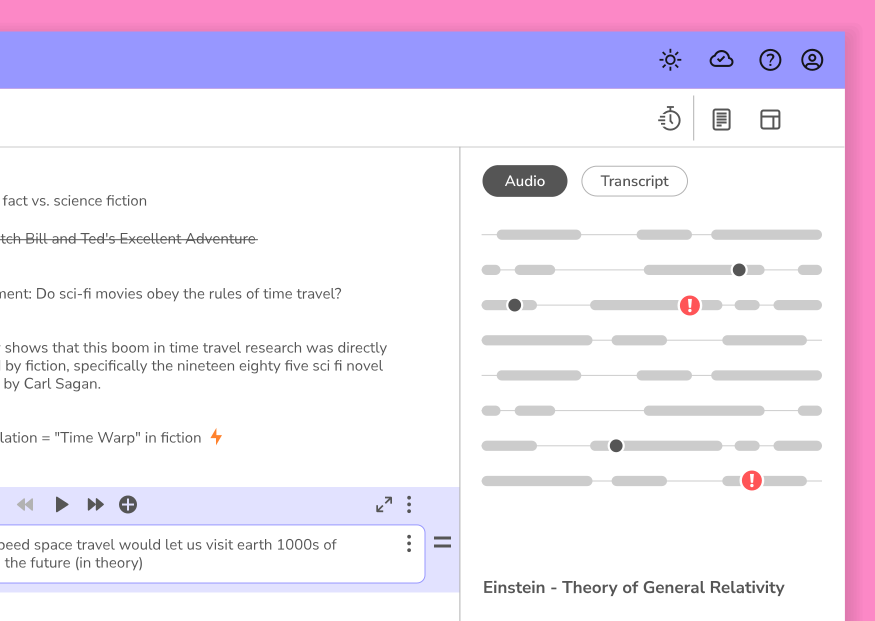
Our Genio Institution Wide package enables you to:

  • Drive accessibility for all with UDL principles
  • Support students that aren't requesting help (but really need it)
  • Enable more students to achieve better grades with Genio Notes' proven learning process
Learn more